
Reference
Default keybinds and quick device notes
Use this when you want to check what each button does before you start changing settings. It covers the default Keyboard Mode and Switch Mode layouts, plus the button labels and device notes that are easy to forget.
If a button feels wrong, check the mode and how you are holding the remote before remapping anything.
- A + Home enters Keyboard Mode and shows a solid green LED.
- Y + Home enters Switch Mode and shows a solid blue LED.
- Hold MODI vertically with the D-pad facing down when you use the layouts.
Controller
Button labels on the remote
Use this when a guide mentions a button name and you want to match it to the remote in your hand.
Know which button is which
This diagram is useful when you are following setup steps and want to make sure you are pressing the right button. Check it once, then use the default layouts below to see what those buttons do in each mode.
Open full size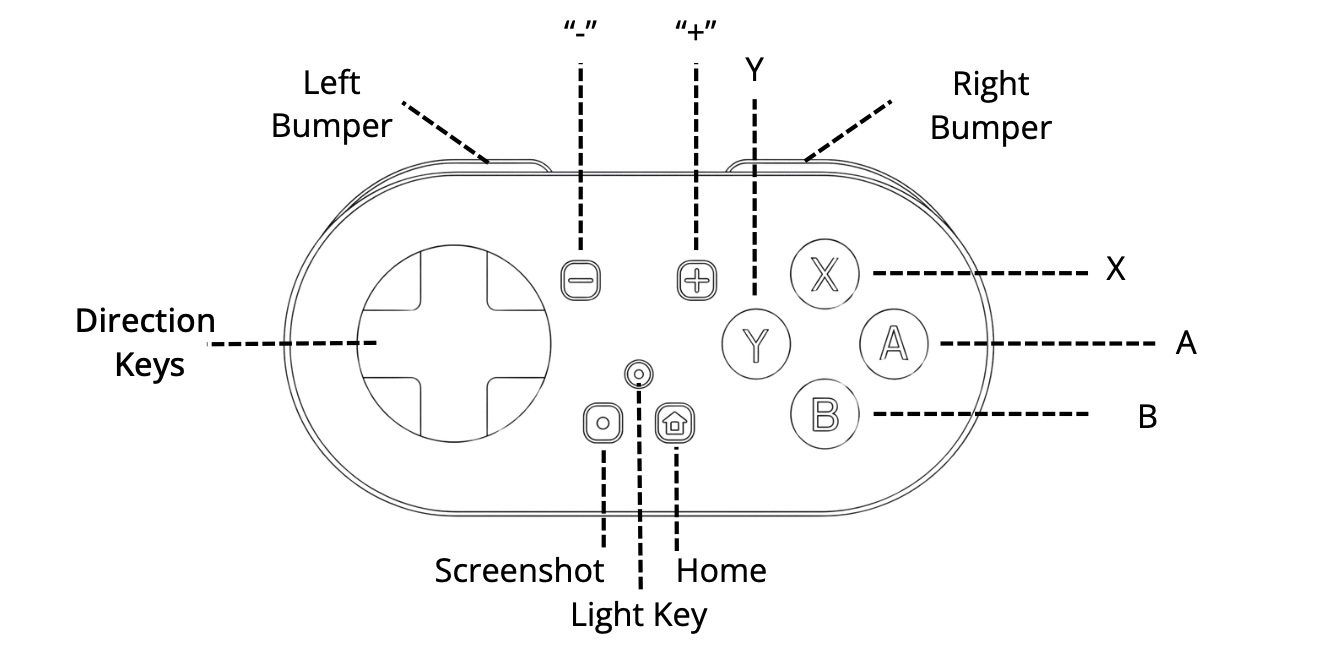
Layouts
Default layouts for Keyboard Mode and Switch Mode
Start here before you customize anything. These are the built-in controls MODI uses out of the box.
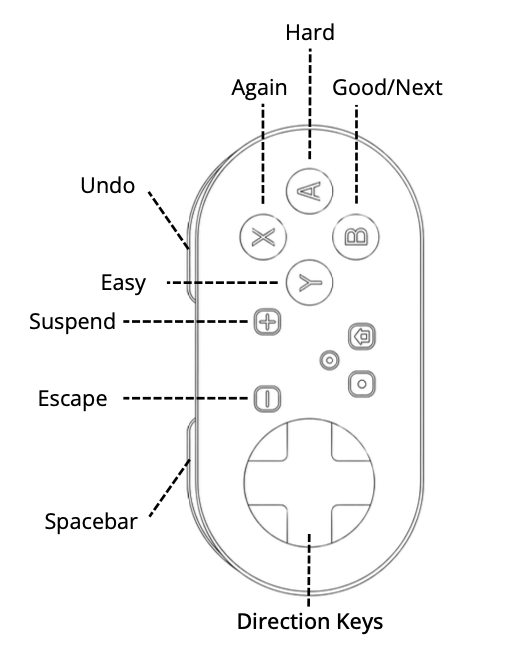
Keyboard Mode default keybindings
The quick desktop layout: direction keys, spacebar, 1, 2, and Enter.
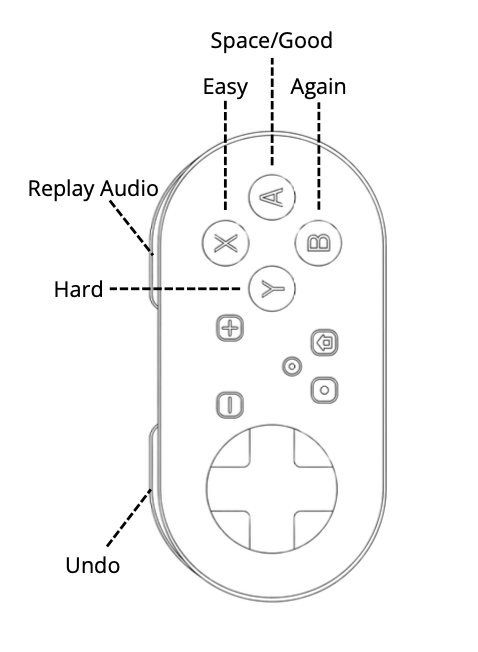
Switch Mode default keybindings
The layout used for mobile and plugin workflows, with common review actions already mapped.
Device Notes
Battery indicators and quick device notes
A few handy details to keep nearby once setup is done.
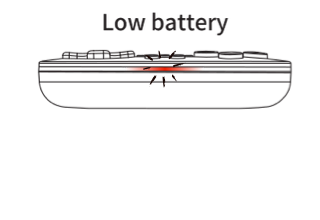
The LED flashes red quickly when the battery is low.
Open full size Charging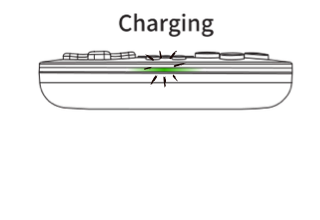
The LED light flashes green while the remote is charging.
Open full size Charging completed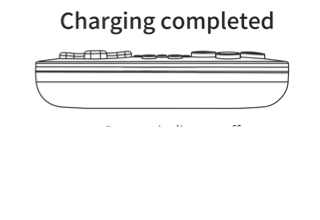
Once charging is complete, the LED light turns off.
Open full size