
Yes, Anki is free on Windows, Mac, and Linux, and AnkiWeb sync is also available without a subscription. Android users can use AnkiDroid as a free, open-source companion app. The main official exception is AnkiMobile for iPhone and iPad, which is a separate paid, one-time App Store purchase. That split is the source of much of the confusion around whether you have to pay for Anki.
Yes, Anki is free on Windows, Mac, and Linux, and AnkiWeb sync is also available without a subscription. Android users can use AnkiDroid as a free, open-source companion app. The main official exception is AnkiMobile for iPhone and iPad, which is a separate paid, one-time App Store purchase. That split is the source of much of the confusion around whether you have to pay for Anki.
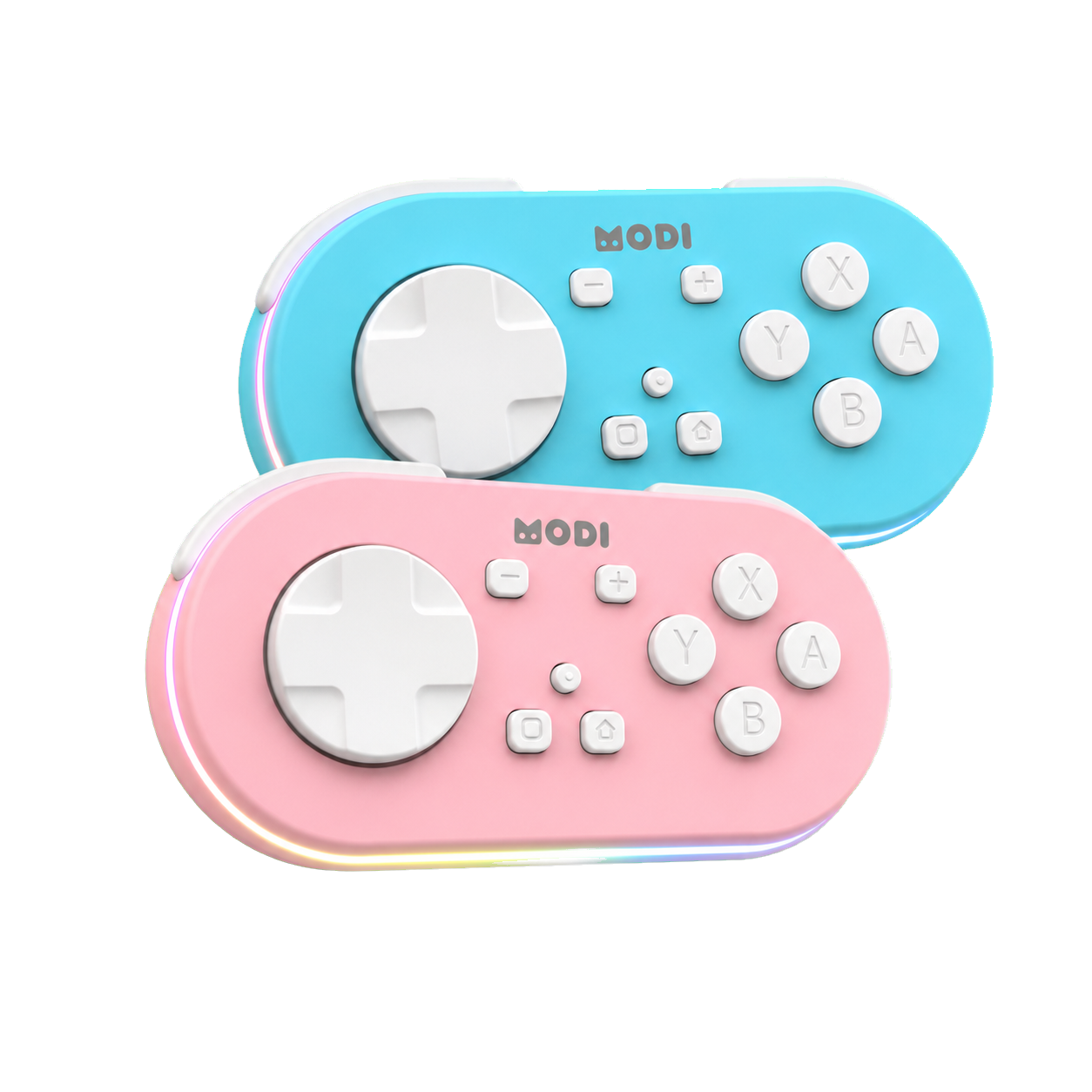
The practical answer depends on which official Anki product you mean. Desktop Anki, AnkiWeb, AnkiMobile, and AnkiDroid are related parts of the ecosystem, but they are not all priced the same way. Apps with Anki in the name are not automatically official, so cost comparisons should start by checking identity first. MODI is also separate: it is an independent Bluetooth remote accessory, not Anki software or an official Anki product.
Desktop Anki Is Free
On Windows, macOS, and Linux, desktop Anki is free and open source. That means the core computer app used to create decks, review cards, adjust options, and sync through AnkiWeb does not require a purchase price or subscription. If someone asks how much is Anki on Windows or Mac, the direct answer is that official desktop Anki itself is free, although normal device, internet, and optional accessory costs are separate.
Desktop Anki is often the reference point for the rest of the ecosystem because it includes the full card-management environment. It also supports add-ons, which can extend desktop behavior, though add-ons are separate from the base cost of Anki. A remote such as MODI only sends supported inputs to the active app; it does not change Anki pricing, scheduling, or account requirements. For setup details, use complete MODI setup tutorial when configuring the accessory.
AnkiWeb Sync Costs
AnkiWeb is the synchronization service that lets official Anki apps share decks across devices. According to the Anki ecosystem guidance in the source material, AnkiWeb synchronization is available without a subscription. That matters because some users assume a free desktop download must become a paid cloud account later. For ordinary syncing between supported official apps, the key point is simpler: AnkiWeb itself is not described here as a paid monthly service.
AnkiWeb should not be confused with every app or website using similar wording. The official sync service belongs to the Anki ecosystem, while unrelated flashcard tools may have their own accounts, plans, or names. If a page asks for payment, verify whether you are looking at official desktop Anki, AnkiWeb, AnkiMobile, AnkiDroid, or an unrelated product. That identity check prevents most wrong answers to how much does Anki cost.
AnkiDroid On Android
For Android phones and tablets, the official companion app to look for is AnkiDroid. It is free and open source, and it can synchronize with AnkiWeb. So if the question is whether you have to pay for Anki on Android, the expected answer for the official Android companion is no purchase price. As always, check the current store listing and app publisher details before installing, because similar app names can mislead new users.
AnkiDroid is not the same app as AnkiMobile, and its Android price should not be used to infer iPhone or iPad pricing. It also has its own settings and control options. For example, when using a supported controller-style setup, AnkiDroid provides a controls area for setting key binds. Those configuration choices are separate from the app’s cost, but they matter if you plan to review with a keyboard, controller, or MODI.
AnkiMobile On iPhone And iPad
On iPhone and iPad, the official app is AnkiMobile Flashcards, and it is a paid, one-time App Store purchase. The United States App Store listing named in the brief showed $24.99 on August 5, 2026, but storefront prices can change and vary by country. Treat the current App Store listing as the authority before buying. The durable point is that AnkiMobile is paid, not that one price is permanent everywhere.
This is why searches for Anki on iPad can produce mixed answers. The underlying Anki project includes free desktop software and free AnkiWeb sync, while the official iOS and iPadOS app is sold separately. Paying for AnkiMobile does not mean desktop Anki has become subscription software. It also does not mean unrelated Anki-named apps are official, compatible, or priced under the same model. Check the developer, listing, and documentation before assuming you found the right app.
Avoiding Unofficial App Confusion
The word Anki can appear in names for apps that are not part of the official Anki ecosystem. That is especially important on mobile storefronts, where search results may include unrelated tools, clones, guides, or flashcard apps with different prices and policies. Before judging Anki cost, confirm which product you are evaluating: desktop Anki, AnkiWeb, AnkiMobile, or AnkiDroid. The answer changes if the app is not one of those official pieces.
A careful cost check should include the platform, the app name, and the publisher or project identity. If you are on a computer, start with official desktop Anki. If you are on Android, look for AnkiDroid. If you are on iPhone or iPad, look for AnkiMobile Flashcards and review the live App Store price. This avoids treating an unrelated app’s subscription, trial, or purchase price as evidence for the official Anki ecosystem.
What The Cost Does Not Include
Anki’s price structure is separate from optional accessories and study tools. A Bluetooth remote, keyboard, tablet stand, stylus, or presentation clicker may help someone build a preferred review workflow, but those purchases are not required to make desktop Anki free or AnkiDroid free. MODI is an independent accessory designed for supported Anki review workflows; it is not made, endorsed, or certified by Anki, AnkiMobile, AnkiDroid, Apple, Google, Microsoft, or Amazon.
The cost also does not promise a learning result. Anki’s active recall and spaced repetition features belong to Anki, while a remote only sends inputs that the active app accepts. The right budget decision is therefore practical: choose the official app for your platform, confirm the current price where a storefront is involved, and only add accessories if they fit the way you want to review. That keeps the answer to is Anki free accurate and useful.
See the remote and current buying options
Review the blue and pink MODI remotes, then open the appropriate Amazon listing when you are ready.
Sources and product references
This first-party MODI guide was checked against the current product manual and relevant app documentation. App menus and third-party behavior can change after publication.