
The best free flashcard app is the one that matches how you review, where you study, and which inputs you need, not the one with the longest feature list. Start by comparing scheduling, platforms, study modes, cost, card creation, sharing, and shortcut support. If you use a remote, add one more requirement: the app must respond reliably to the keyboard or controller inputs your device sends during review.
The best free flashcard app is the one that matches how you review, where you study, and which inputs you need, not the one with the longest feature list. Start by comparing scheduling, platforms, study modes, cost, card creation, sharing, and shortcut support. If you use a remote, add one more requirement: the app must respond reliably to the keyboard or controller inputs your device sends during review.
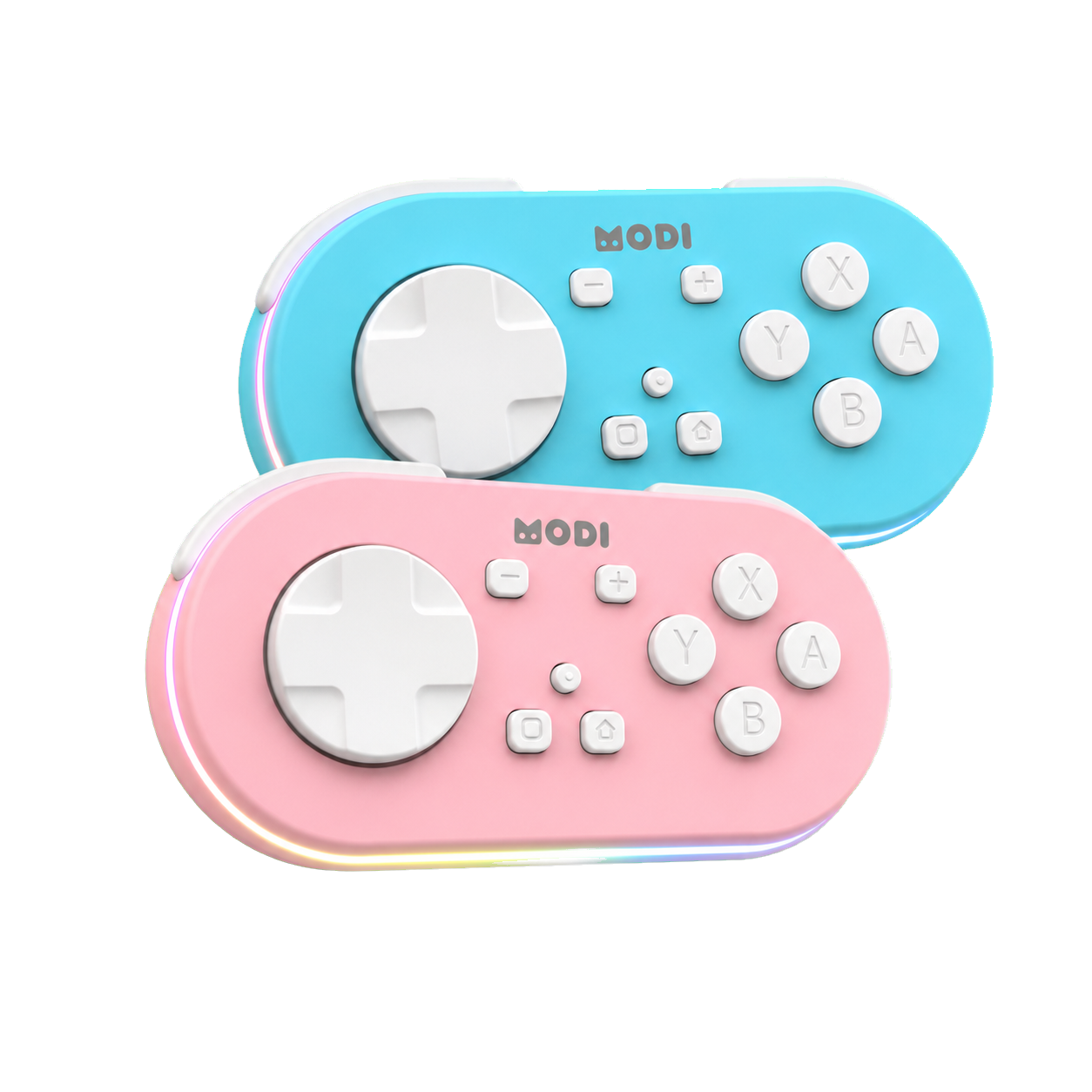
For many remote-study setups, Anki and Quizlet are useful examples because they approach flashcards differently. Anki emphasizes user-created cards, configurable review, and spaced-repetition scheduling across desktop and companion apps. Quizlet offers flashcards plus multiple study modes through free and paid options. MODI is separate from both services; it is a Bluetooth accessory that sends supported inputs to the active app, not a study platform or official Anki product.
Scheduling
A spaced repetition flashcard app matters most when you want reviews scheduled around past performance rather than simple manual repetition. Anki is built around active recall and spaced repetition, with scheduling handled by Anki itself across its ecosystem. That can suit learners who want long-term control over decks, intervals, and review behavior. A remote can help trigger supported review actions, but it does not change how Anki decides which cards appear.
Study modes are a different question from scheduling. Quizlet includes flashcards and several study modes, which may fit someone who wants varied practice formats or a class-friendly tool. Anki focuses more on review scheduling and configurable cards. Before choosing, list the activities you actually use: reveal answer, choose Again or Good, replay audio, browse cards, or practice in a specific mode. Then check whether the app supports those actions where you study.
Platforms
Platform support should come before small interface preferences. Desktop Anki is available for Windows, macOS, and Linux, and AnkiWeb synchronization is available without a subscription. AnkiDroid is a free, open-source Android companion that can synchronize with AnkiWeb. AnkiMobile for iPhone and iPad is a separate paid, one-time App Store purchase, and its current price should be checked in the App Store because prices and country availability can change.
Quizlet runs as a web and app-based study service with a free tier and paid plans, but plan details can change. That makes it better to compare the current feature set than memorize a price table from an article. Also watch for unrelated apps that include Anki in their names. When comparing cost, separate desktop Anki, AnkiWeb, AnkiMobile, and AnkiDroid from third-party apps and services with different owners, pricing, and support paths.
Creation
Card creation can decide whether a flashcard app remains useful after the first week. Anki is strong when you want to build and manage your own cards, use structured note types, and keep a repeatable review workflow. That flexibility also means you may spend more time choosing fields, templates, decks, and add-ons. A good app for one learner may feel like maintenance overhead for another who mainly wants quick sets.
Sharing and collaboration deserve the same practical check. Quizlet may appeal when a class, team, or study group already uses shared sets or specific Quizlet modes. Anki can work well for personal libraries and user-created materials, but its workflow is different from a collaborative web service. Ask who creates the cards, who updates them, how mistakes get corrected, and whether the same material needs to work on a phone, tablet, desktop, or browser.
Inputs
External-controller support is where many good flashcard apps separate themselves from good remote-study apps. On desktop Anki, common keyboard controls include Space or Enter to reveal an answer or choose Good, plus number keys for answer buttons when available. MODI Keyboard Mode is intended for desktop use with preset inputs and does not require the MODI add-on for the default workflow. Custom desktop remapping is available separately through the optional MODI add-on.
Mobile input support depends on the app and operating system. For MODI with AnkiMobile or AnkiDroid, Switch Mode is the standard setup because it exposes gamepad-style inputs. AnkiMobile lets users configure gamepad actions when iOS recognizes the controller profile. AnkiDroid offers control key binds, although some X-Y-B-A labels can appear visually swapped in its menu due to a third-party display mapping issue. The assigned commands can still function normally after configuration.
Testing
Do not assume a remote will behave the same way in every app, browser, or study mode. Compatibility depends on whether the active app accepts the remote’s current keyboard or gamepad input. MODI has a documented desktop-browser Keyboard Mode workflow for basic Quizlet navigation using direction-key and Spacebar-style controls, but that is not a promise that every Quizlet mode, browser combination, or future interface will expose identical controls.
The simplest test is to pair the remote in the intended mode, open the exact review screen, and press each button while watching the app response. Record which actions work before changing settings. If a fresh pairing connects but the app remains unresponsive, the next diagnostic step is not to blame one component automatically. Check saved Bluetooth entries, battery state, app configuration, and the host device; a restart can be appropriate after re-pairing.
Checklist
Use a short checklist instead of searching for a universal winner. First, decide whether spaced-repetition scheduling or varied study modes matter more. Second, confirm the platforms you will actually use, including paid mobile apps where relevant. Third, compare how cards are created, corrected, imported, or shared. Fourth, test the specific keyboard or gamepad inputs needed for review. Finally, keep setup notes so you can rebuild the workflow after changing devices.
If MODI is part of the setup, treat it as an independent Bluetooth controller for supported Anki and compatible app inputs. The public complete MODI setup tutorial is the right starting point for pairing mode, desktop, and mobile configuration details, but the flashcard app decision remains broader. A strong choice is the app whose scheduling, platform availability, creation workflow, cost, and recognized inputs match your study routine without relying on unsupported promises.
See the remote and current buying options
Review the blue and pink MODI remotes, then open the appropriate Amazon listing when you are ready.
Sources and product references
This first-party MODI guide was checked against the current product manual and relevant app documentation. App menus and third-party behavior can change after publication.