
Anki vs Quizlet is not a question with one permanent winner. Choose Anki if you want spaced-repetition scheduling, user-built decks, keyboard-friendly reviewing, and control across desktop and companion apps. Choose Quizlet if you prefer a guided study environment with flashcards, multiple study modes, and simpler sharing workflows. The better choice depends on how much control you want over reviews, how you create cards, where you study, what you pay for, and whether remote inputs matter.
Anki vs Quizlet is not a question with one permanent winner. Choose Anki if you want spaced-repetition scheduling, user-built decks, keyboard-friendly reviewing, and control across desktop and companion apps. Choose Quizlet if you prefer a guided study environment with flashcards, multiple study modes, and simpler sharing workflows. The better choice depends on how much control you want over reviews, how you create cards, where you study, what you pay for, and whether remote inputs matter.
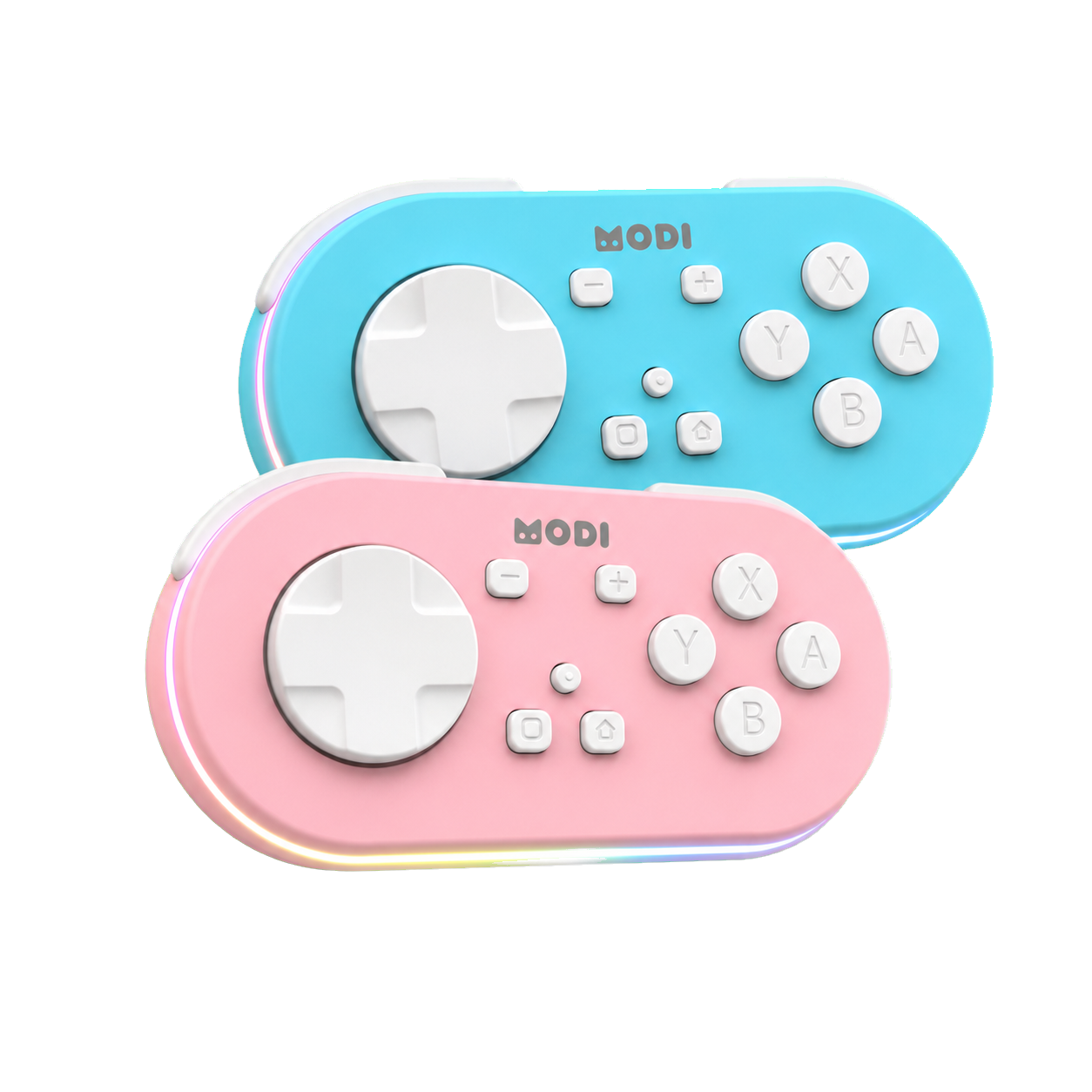
If you are comparing anki or quizlet because you use a MODI Anki remote, treat input compatibility as one factor, not the whole decision. MODI is an independent Bluetooth accessory, not an Anki, Quizlet, Apple, Google, Microsoft, or Amazon product. It sends supported keyboard or gamepad-style inputs to the active app. For setup details, use complete MODI setup tutorial after deciding which workflow you actually want to control.
Scheduling
Anki’s main distinction is its spaced-repetition workflow. The Anki ecosystem is built around active recall, then scheduling cards for future review based on answer results. That scheduling belongs to Anki itself, not to any remote or accessory. If you want a review queue that is centered on due cards, answer buttons, and long-term deck maintenance, Anki’s structure is the clearer fit. It rewards users who are willing to manage cards, decks, and settings deliberately.
Quizlet is broader in presentation. It offers flashcards and multiple study modes, which can be useful when you want variety instead of a single review queue. That does not make it automatically easier for every learner or weaker for every serious user. It simply means the product is organized around different study experiences. If your priority is moving among modes, using existing sets, or sharing material with classmates, Quizlet may fit better than a highly configurable Anki setup.
Cards
Card creation is another major difference. Anki emphasizes user-created cards and configurable workflows, so it suits people who want to decide exactly what information appears, how answers are judged, and how decks are organized over time. That flexibility can be valuable, but it also asks for more ownership. A messy deck can still be messy in Anki. The software gives you control; it does not automatically make every card useful, concise, or well matched to your goals.
Quizlet often feels more approachable when collaboration and quick set building are central. Its shared flashcard culture can reduce the friction of starting from existing material, especially for group classes or common topics. The tradeoff is that you may have less interest in fine-tuning a personal review system. When choosing between Anki and Quizlet, ask who creates the cards, who edits them, and whether you need a durable personal archive or a shareable set for a course.
Platforms
Platform expectations matter because the names can be confusing. Desktop Anki for Windows, macOS, and Linux is free and open source, and AnkiWeb synchronization is available without a subscription. AnkiDroid is the free, open-source Android companion that can synchronize with AnkiWeb. AnkiMobile for iPhone and iPad is a separate paid, one-time App Store purchase, and its current price can change by country and over time. Apps with Anki in their names are not automatically official ecosystem apps.
Quizlet uses a different model: a free tier plus paid plans, with features, prices, and availability subject to change. That makes current plan details something to verify at the time you subscribe rather than a fact to memorize from an article. For many readers, the real platform question is practical: which devices do you use daily, where are your cards stored, and whether your preferred features are available on the plan and app you intend to use.
Controls
Remote-control needs can narrow the decision, but they should not drive it alone. Desktop Anki already supports common keyboard controls, including Space or Enter to reveal an answer or choose Good, and number keys for available answer buttons. MODI’s Keyboard Mode is intended for desktop use with preset review inputs, and no MODI add-on is required for that default workflow. The optional desktop add-on is for users who want custom remapping inside supported desktop Anki workflows.
On mobile, MODI’s standard setup uses Switch Mode because it exposes gamepad-style inputs. AnkiMobile includes configurable gamepad actions when iOS recognizes the controller profile. AnkiDroid supports key bind configuration, though its menu can show X-Y-B-A labels as Y-X-A-B because of a third-party display mapping issue; assigned commands can still work normally. These details matter only after you choose the app. A remote sends inputs to software; it does not create review features the app lacks.
Quizlet
Quizlet compatibility should be described more narrowly. MODI has a documented desktop-browser Keyboard Mode workflow for basic direction-key and Spacebar-style controls in Quizlet. That can be enough for simple hands-on navigation when the browser page accepts those inputs. It should not be read as universal Quizlet support, identical behavior across every browser, or support for every study mode. Websites change, focus can move between page elements, and different modes may respond to different input patterns.
This is where Anki and Quizlet differ for remote users. Anki’s review screen has well-known keyboard actions on desktop and app-level control settings on mobile. Quizlet may still be workable for basic browser navigation, but you should test the exact study mode and device you plan to use. If a control does nothing, the next question is not whether the remote is broadly compatible; it is whether the active page accepts that keyboard input.
Choice
Pick Anki when you want a review system organized around spaced repetition, user-authored cards, configurable review actions, and a stable routine across desktop and companion apps. It is also the more direct choice if your planned workflow depends on answer buttons, keyboard shortcuts, or mobile gamepad action mapping. Expect to spend more time shaping decks and settings. That extra control is useful when you want a personal system, but it is unnecessary if your needs are simpler.
Pick Quizlet when you value quick access to flashcard sets, collaboration, and multiple study modes more than a highly configurable spaced-repetition workflow. It can be the more natural fit for shared class material or casual review, especially when remote control is only a nice extra. For the Anki vs Quizlet decision, compare scheduling control, card ownership, collaboration, platform cost, and input behavior on the device you will actually use, then choose the workflow you can maintain.
See the remote and current buying options
Review the blue and pink MODI remotes, then open the appropriate Amazon listing when you are ready.
Sources and product references
This first-party MODI guide was checked against the current product manual and relevant app documentation. App menus and third-party behavior can change after publication.