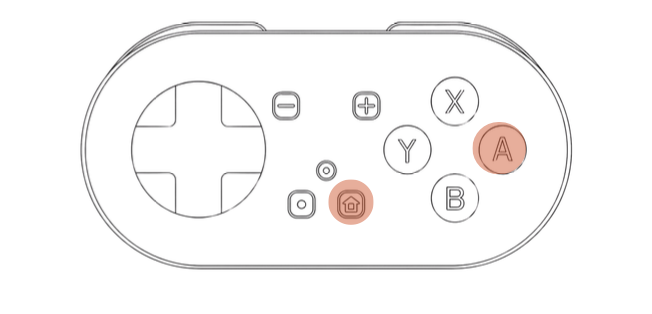
Enter Keyboard Mode
Hold A + Home until the LED between Home and Screenshot turns solid green.

Guide
Use this guide if you want to review Quizlet Flashcards in a desktop browser with MODI. Hold A + Home to enter Keyboard Mode, look for the solid green LED, then hold the remote with the D-pad facing upward while you review.
Keyboard Mode is the recommended setup for Quizlet because it uses standard desktop keyboard controls.
Setup
Enter Keyboard Mode, pair over Bluetooth, hold MODI with the D-pad facing up, then open Flashcards.
Hold A + Home until the LED between Home and Screenshot turns solid green.
Pair MODI over Bluetooth, then rotate it so the D-pad faces upward. This puts the arrow controls where you expect them while reviewing Quizlet Flashcards.
Open a Quizlet set in your desktop browser, choose Flashcards, and use the D-pad to move between cards and Spacebar to flip.
Controls
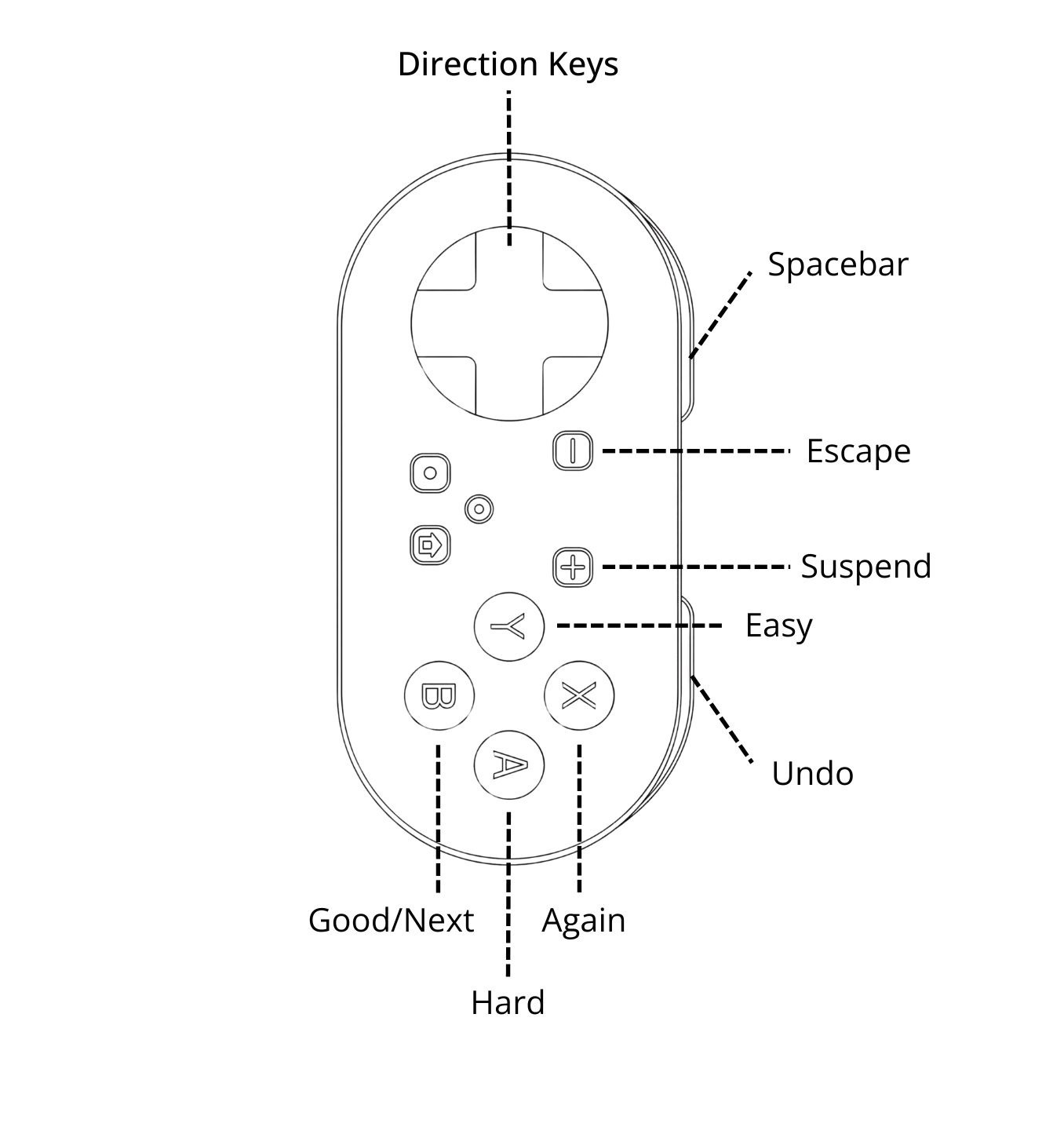
Use the D-pad to move between cards and Spacebar to flip the current card.
This is the original Keyboard Mode layout from the manual. For Quizlet, rotate the remote so the D-pad faces up; the controls still act as Direction Keys and Spacebar.
Notes