
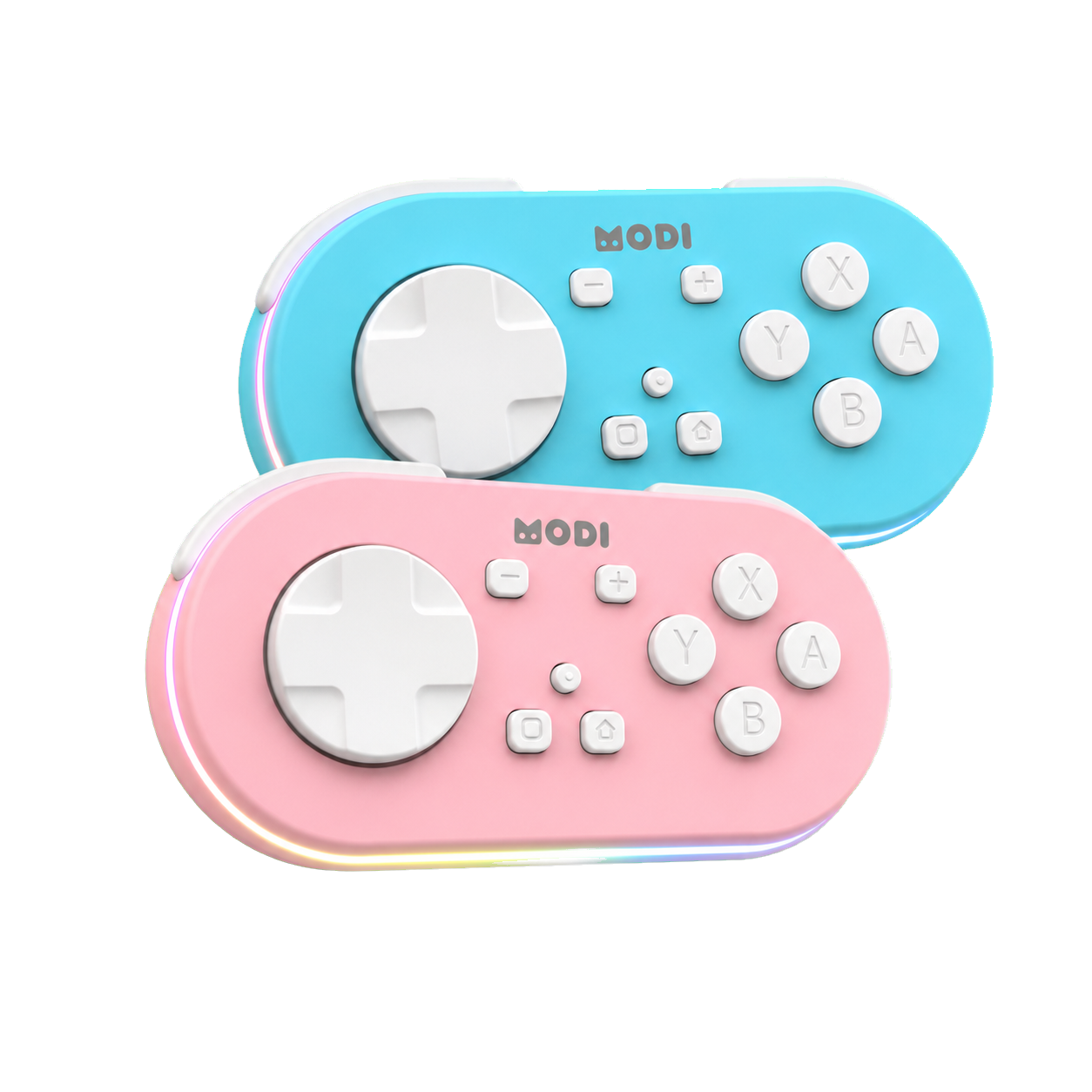
If your MODI Anki remote turns off after about five minutes, that is usually normal automatic sleep behavior, not a sign that Anki closed the connection. MODI is designed to sleep after about five minutes of inactivity, and it can also sleep after about 2.5 minutes when it has no Bluetooth connection. Press Home to wake it, then let it reconnect in the last-used mode before testing your review buttons again.
If your MODI Anki remote turns off after about five minutes, that is usually normal automatic sleep behavior, not a sign that Anki closed the connection. MODI is designed to sleep after about five minutes of inactivity, and it can also sleep after about 2.5 minutes when it has no Bluetooth connection. Press Home to wake it, then let it reconnect in the last-used mode before testing your review buttons again.
This matters because the remote, the Bluetooth connection, and the study app are separate pieces. MODI is an independent Bluetooth accessory for Anki workflows, not an official Anki, AnkiMobile, or AnkiDroid product. A five-minute pause can simply put the remote to sleep while Anki remains open. If the remote wakes but still does not control reviews, the next step is connection or keybind troubleshooting, not assuming the sleep timer failed.
Five-Minute Sleep
The five-minute shutoff most people notice is MODI’s inactivity sleep. When the remote is connected but no buttons are being used, it can automatically sleep after approximately five minutes. That behavior helps avoid leaving the controller awake between review sessions. It does not mean your deck, Anki profile, or card state changed. It also does not mean the app decided to disable remote input after a fixed amount of study time.
A common scenario is pausing on a card, stepping away, then returning to find the remote apparently off. In that case, treat the five-minute timing as expected unless another symptom appears. Press Home, wait for reconnection, and press a button that normally works in your current setup. If control returns, the remote was simply sleeping. If control does not return, move from battery assumptions to Bluetooth and app-configuration checks.
Disconnected Sleep
MODI also has a shorter disconnected timeout. If it is awake but has no Bluetooth connection, it can sleep after approximately 2.5 minutes. That can happen when the paired computer, phone, or tablet is out of range, Bluetooth is off, the saved device is unavailable, or the remote was placed into a mode that the host is not currently using. The timing can feel abrupt because the controller is conserving power while waiting for a usable connection.
This disconnected timeout is different from the five-minute inactivity timer. Five minutes applies when the remote is idle after a connection has been active. About 2.5 minutes applies when the remote is not connected through Bluetooth. If you are diagnosing which one occurred, look at what happened before sleep. A working review session followed by silence suggests inactivity sleep. Pairing attempts without a stable device connection point more toward the disconnected sleep path.
Waking With Home
To wake MODI, press Home. The remote attempts to wake and reconnect in the last-used mode, so you normally do not need to repeat the full pairing process after ordinary sleep. Give the host device a moment to recognize the controller again before pressing review buttons. If you use the remote on the same device and in the same mode, this wake-and-reconnect pattern is the expected first step after a pause.
You can also manually sleep or turn off the remote by holding Home for three seconds. That is different from the automatic sleep behavior, but the wake step is still centered on Home. If the remote was intentionally turned off, press Home again before testing controls. If the device was previously paired correctly, avoid changing mode or reinstalling anything until you have first checked whether a simple wake restores the connection.
Mode Changes
Sleep behavior is easier to understand when the current connection mode is clear. Keyboard Mode is the usual desktop path with preset keyboard-style controls. Switch Mode is used for gamepad-style input and custom remapping workflows, including common mobile setups. MODI reconnects in the last-used mode after wake, which is helpful when you are staying on one device, but it can confuse testing if you recently switched between desktop and mobile use.
When changing from one mode to another, the preferred reset is to forget every saved MODI or Anki remote entry in the host device’s Bluetooth settings, then pair again in the desired mode. The same approach is a sensible starting point when moving the remote to another phone, tablet, or computer. For a broader setup walkthrough, use complete MODI setup tutorial after deciding which mode you actually need.
When To Troubleshoot
Troubleshoot when the behavior is more than ordinary sleep. Examples include the remote waking but not controlling Anki, connecting to Bluetooth but staying unresponsive, repeatedly sleeping before it can establish a connection, or behaving differently after a mode or device change. Start with the simplest separation: does the remote wake, does the host show a Bluetooth connection, and does the study app have the expected controls assigned for the current mode?
If the remote connects but remains unresponsive after a fresh pairing, restart the host device and try again. That step matters because Bluetooth state and saved pairings can persist in ways that are not visible inside Anki. On mobile, also confirm that the app’s own gamepad or keybind settings match the mode you are using. On desktop, remember that Keyboard Mode does not require the optional MODI add-on for the default preset workflow.
Battery Signals
Do not treat every sleep event as a low-battery warning. The documented low-battery signal is a quickly flashing red LED. Charging is shown by a flashing green LED, and charging is complete when the charging LED turns off. A remote that sleeps after roughly five minutes of no use is following its inactivity behavior. A remote showing the low-battery pattern is giving a different signal and should be charged.
Decorative lighting is another separate topic. Double-clicking the Light button turns decorative lighting on or off, and keeping those lights off when they are not needed supports the maximum practical battery life. The battery is specified for approximately 15 hours of continuous use under the manual’s stated conditions, but that is not a guaranteed duration for every setup. Avoid inferring battery percentage from LED patterns that the manual does not define.
Sources and product references
This first-party MODI guide was checked against the current product manual and relevant app documentation. App menus and third-party behavior can change after publication.